A multiple-choice question with a minimum and maximum number of answers
The respondent chooses one or more answers from a fixed list. With a minimum and maximum, you decide exactly how many options they may select.
More than one answer
In a multiple-choice question (multiselect), the respondent chooses one or more answers from a fixed list. That is the difference with a single-choice question, where only one answer is possible. You use this question type for questions such as “Which sports do you play?” or “What did you like most about the event?”.
With the settings for a minimum and maximum number of answers, you decide exactly how many options the respondent may select.
The edit question screen
You set up the question in the edit question screen (Vraag aanpassen) for the multiple-choice type (Meervoudige selectie vraag). At the top are three switches: required question (Verplichte vraag), upload supporting document (Bewijsstuk opladen) and answer via dropdown (Antwoord via dropdown). The screenshots show the Dutch interface.
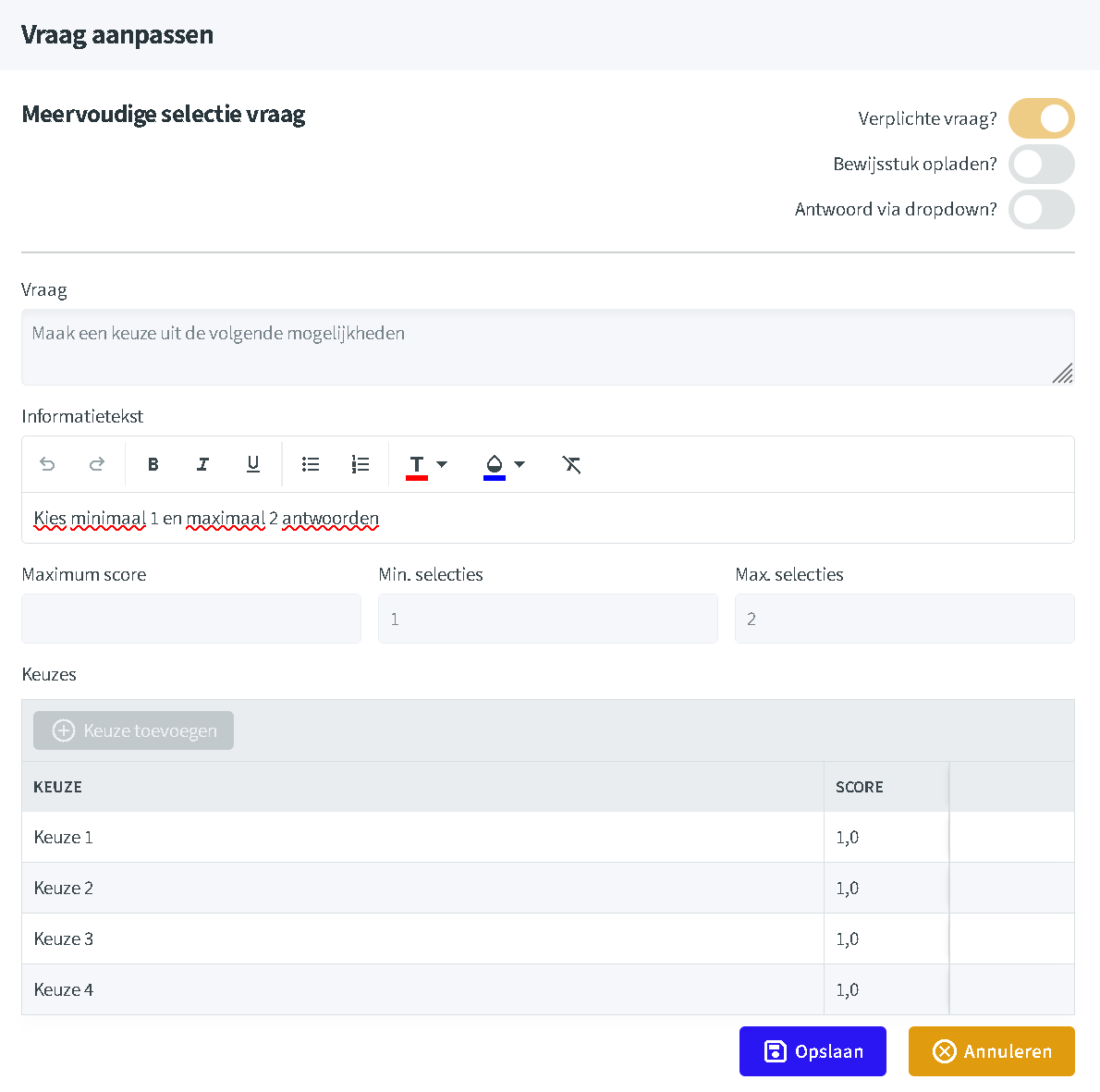
Required question and dropdown
Required question: with this switch on, the question gets a red asterisk (*). The respondent can only submit the questionnaire once they have answered it. If they click Submit without an answer, a message asks them to answer the question.
Answer via dropdown: with this switch, the options appear in a drop-down list with the prompt “Make a selection...”. When the respondent clicks it, a list of checkboxes opens, with a “Select all” option at the top. It selects every option, even if a maximum is set; when they move on, the usual maximum check applies. This is handy for a long list of options, because the question stays compact on screen.
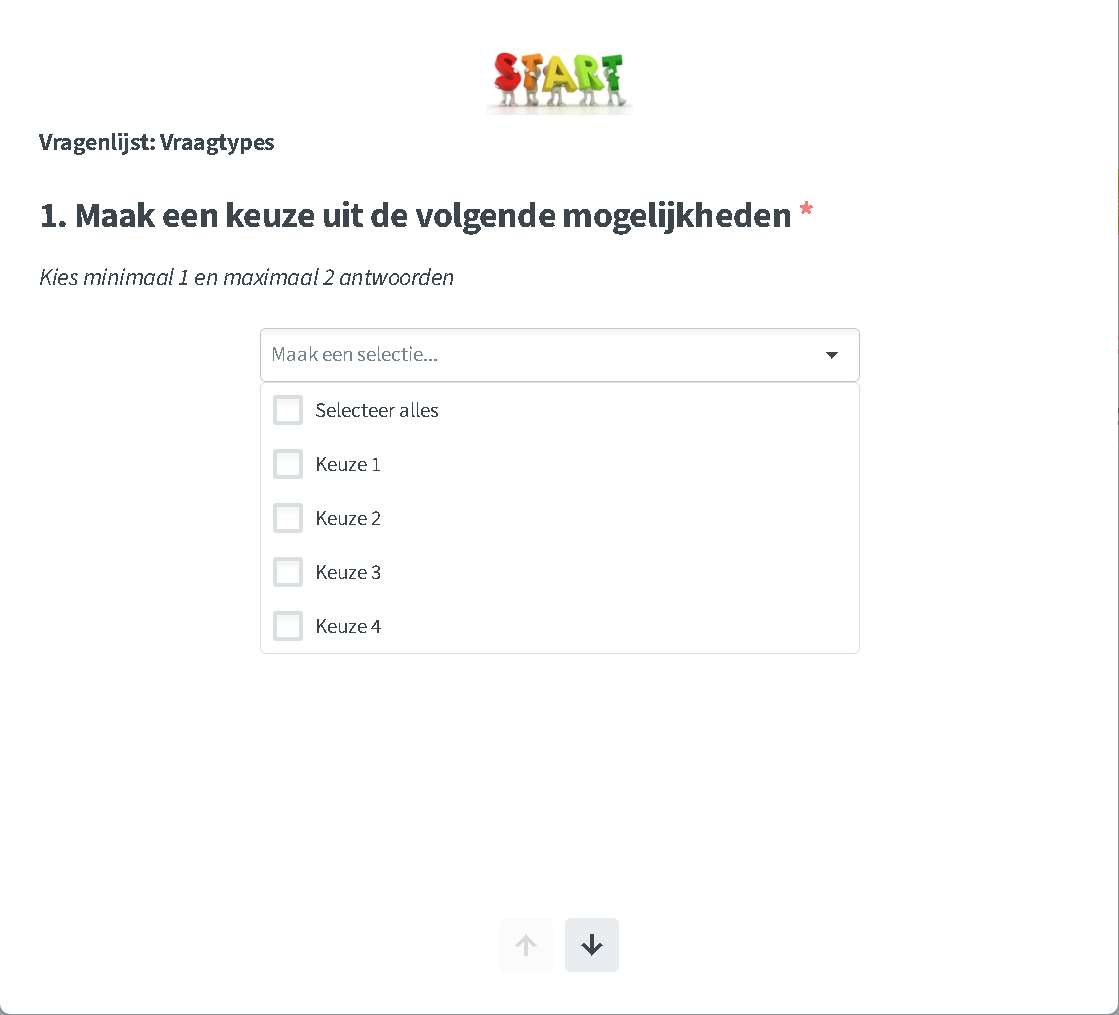
How many answers the respondent chooses
With minimum selections (Min. selecties) and maximum selections (Max. selecties) you set how many answers the respondent must choose. Survey4Bizz checks this automatically as soon as the respondent wants to move on: going to the next question, or clicking Submit on the last question. If the number of chosen answers falls outside the limits, a message appears and they can only continue once they adjust their choice.
Setting it up
- Open the question via the edit question screen.
- Under minimum selections, enter the minimum, for example 1.
- Under maximum selections, enter the maximum, for example 2.
- Also add the rule to the information text so the respondent sees it in advance: “Choose at least 1 and at most 2 answers”.
- Click Save.
From empty question to error message
-
The question without an answer
The respondent sees the question, the information text and the options as checkboxes.
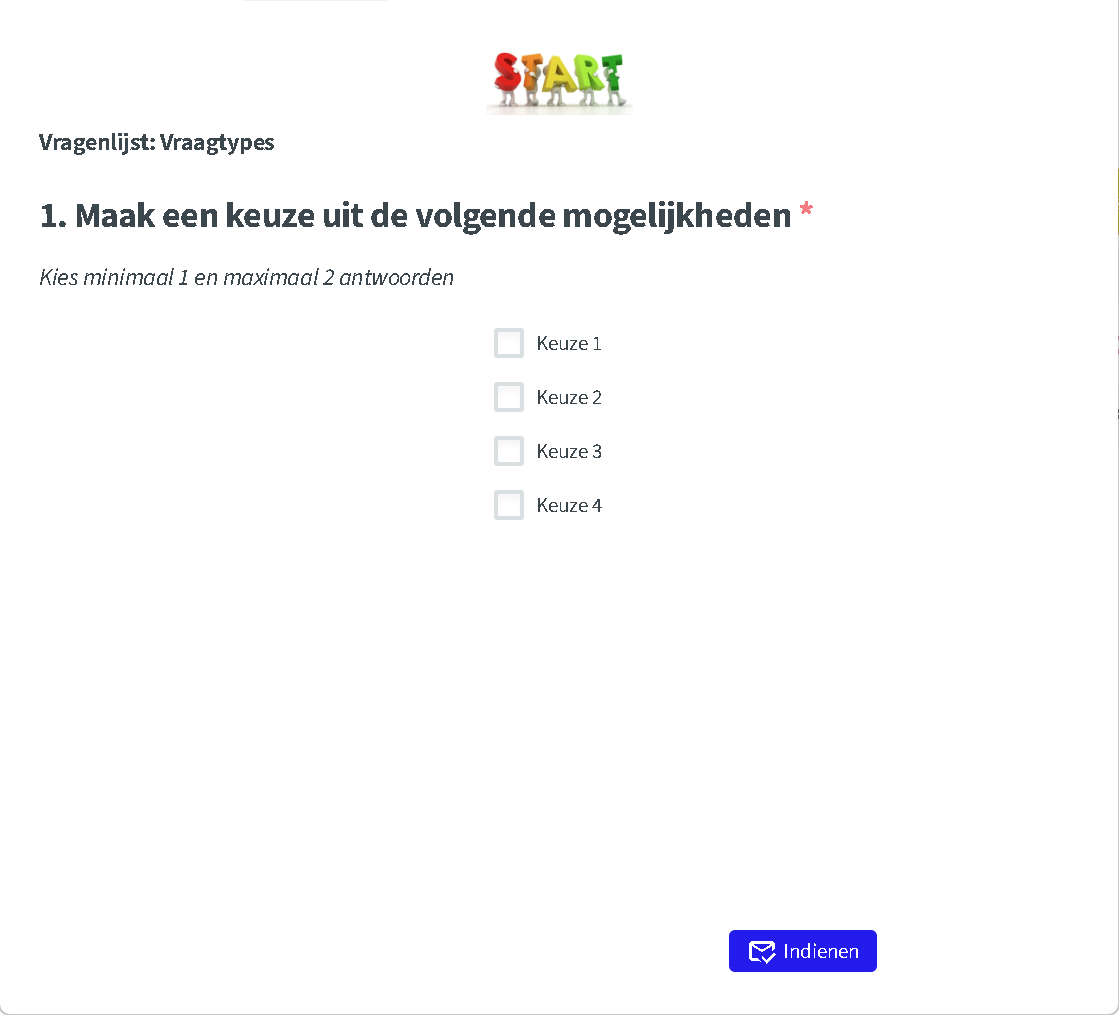
The question with information text and four options. -
Too few answers
For a required question without an answer, a message asks the respondent to answer the question. For an optional question, the respondent may simply leave it empty: the minimum does not apply then. The minimum only applies once they select at least one answer.
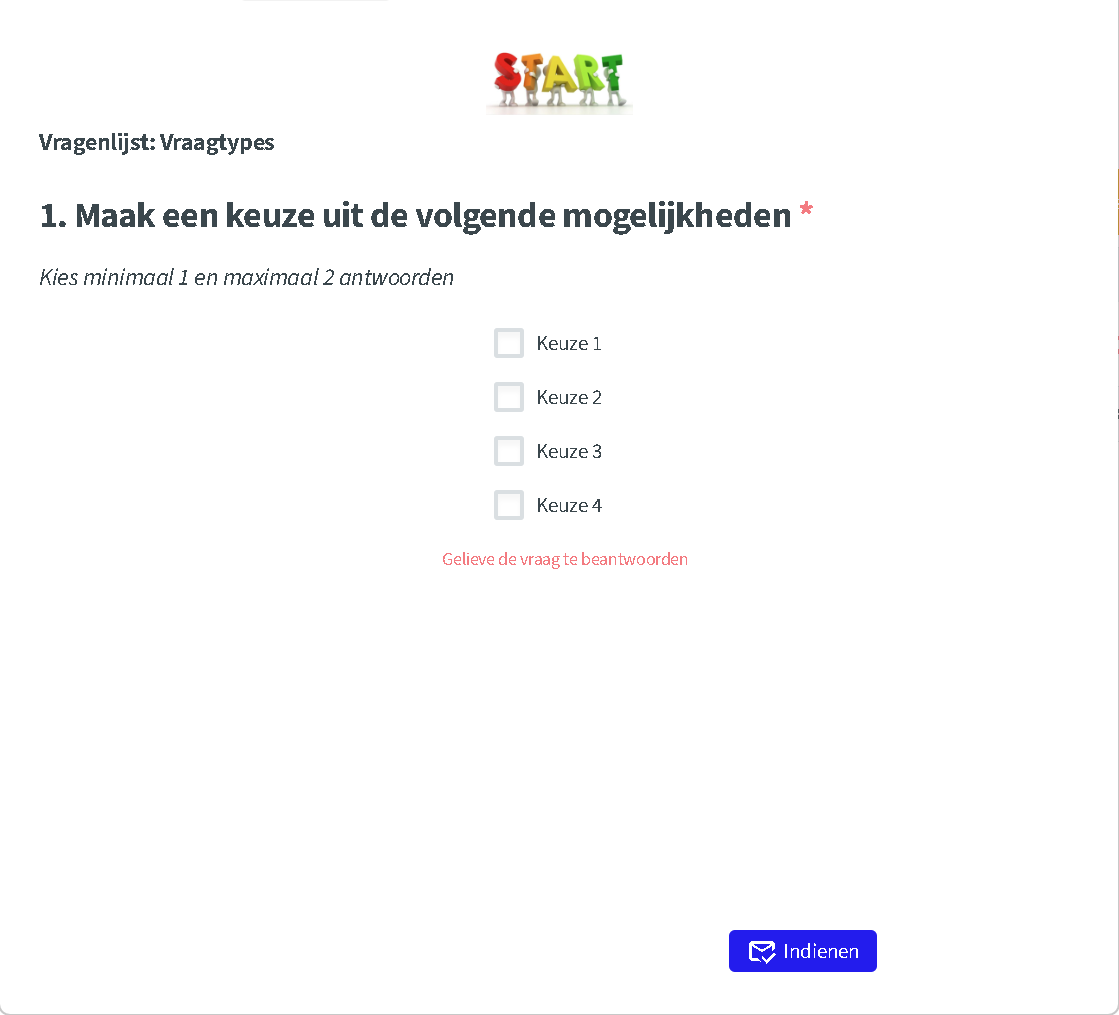
A required question without an answer cannot be submitted. -
Too many answers
If the respondent selects more answers than the maximum, a message appears when they move on saying they may choose no more than 2 options. Only once they untick one can they continue.
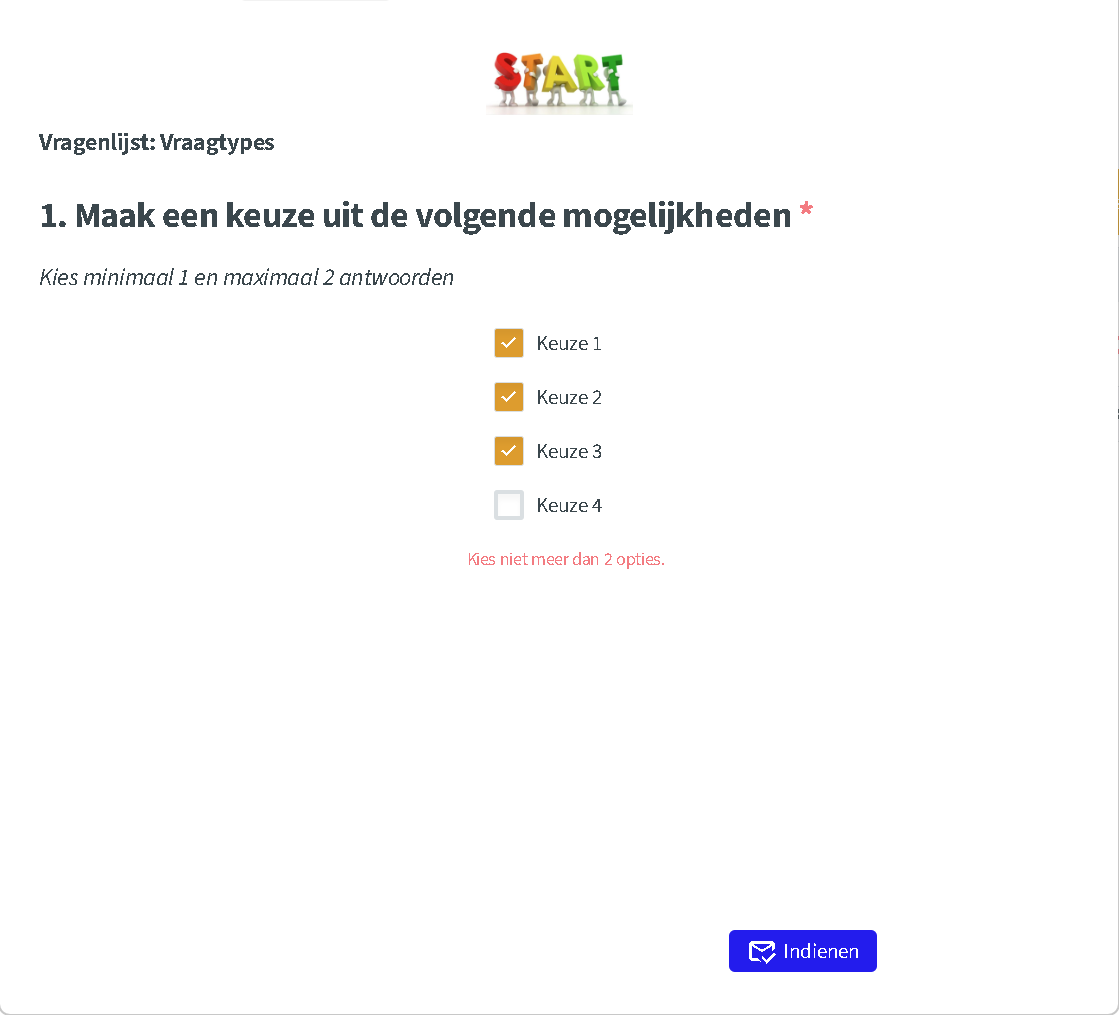
Three options with a maximum of two: the respondent must untick one.
Getting the most from this question
- Always state the limits in the information text. That way, the respondent knows in advance what is expected and sees fewer error messages.
- Need exactly X answers? Set the minimum and maximum to the same number, for example 3 and 3 for a top 3.
- Long list of options? Combine with answer via dropdown to keep the question compact.